Know what's playing.
MixBuddy identifies the current track and shows the title, artist, artwork, BPM and key while you play. If a version can't be identified right away, the transition can still be reviewed and completed later.
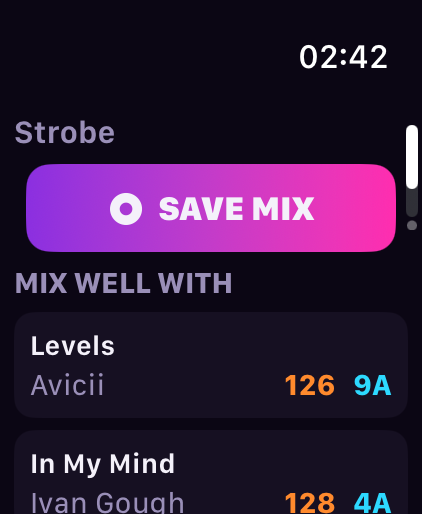
Save the mix when it lands.
When a transition works, tap Save on your phone or Apple Watch. MixBuddy keeps both tracks, the timing, BPM, key and a short transition clip.
Build your transition library.
Your saved mixes arrive in Library, where you can replay them, love the best ones, add a mood or comment, organise them into sets, and complete unknown tracks.
Remember what worked next.
MixBuddy suggests up to three tracks that may work after the current song — based on key, tempo, energy and transitions you've saved before. Ideas to explore, not a fixed answer.
Learn from real transitions.
Over time, MixBuddy can learn from patterns across real DJ transitions — not only theoretical harmonic matches — helping you discover ideas that have actually worked. It's the direction MixBuddy is headed, growing more useful the more you save.